How to Use a Free Logo Maker Step-By-Step
Posted on June 22, 2017 by Logo Design Tips and Tricks
A logo is one of the most important parts of a business’s brand. It defines the business. It’s the mark that others recognize among the competition.
Unfortunately, many people assume that you need to spend a small fortune to get a great logo. It’s easy to see why people have this assumption. Talented, experienced graphic designers can charge a couple thousand dollars for a good logo. But does it have to be this way?
Not at all! A good logo is quite affordable if you do it yourself. Don’t think you have the talent or skill to make your own? Think again.
An online logo maker will make a free logo design easy to create. This article will guide you through the steps you need to follow to create something unique for your business.
Let’s begin with the basics: the design itself.
A Free Logo Design
What is it that you want to design? What’s the best design to represent your brand? What design will potential customers or clients relate to the most?
These are all questions you should start to think about before starting the design process. A free logo design is just like any other logo: it needs to be effective. If a logo can’t represent your business and make it memorable, it won’t do its job.
Thankfully, coming up with a good logo design isn’t difficult. The best thing to do is plan out a design ahead of time. It doesn’t have to be pretty. It just needs to give you an idea of what the logo will ultimately look like.
Start by making some basic doodles on the computer or some paper. Don’t worry about straight lines or legible text. The most important thing is to get the ideas out on paper.
One of the key aspects you will begin to see is the elements you want to include in the logo. All logos have some combination of visual elements. Typically, there are text, lines, and/or graphics that stand out.
By drawing a rough sketch out, you will be able to see what elements seem right for your logo. More importantly, you will also begin to notice how you want these elements arranged. Their spacing and arrangement in relation to each other are important.
All good logos are balanced. Nothing major sticks out unless it is important. Remember that all the individual logo elements need to play well together.
To give yourself more options, repeat this basic design process a few times. Create a few different logo options to choose and don’t be afraid to get a little crazy as you do all this. This point is about the brainstorming!
Once you have a few options in front of you, give yourself some time to decide. Take a break before you make the choice so you can return with fresh eyes. Once the time feels right, make your choice.
Do you have a winning logo idea? Does it feel incomplete? That’s okay. Now it’s time to turn your idea into a real free logo design!
Open the Logo Designer
Set some time aside for this next step. Designing a logo can take a while depending on how complicated the design is. It’s better to start this process when you aren’t stressed or occupied with other things.
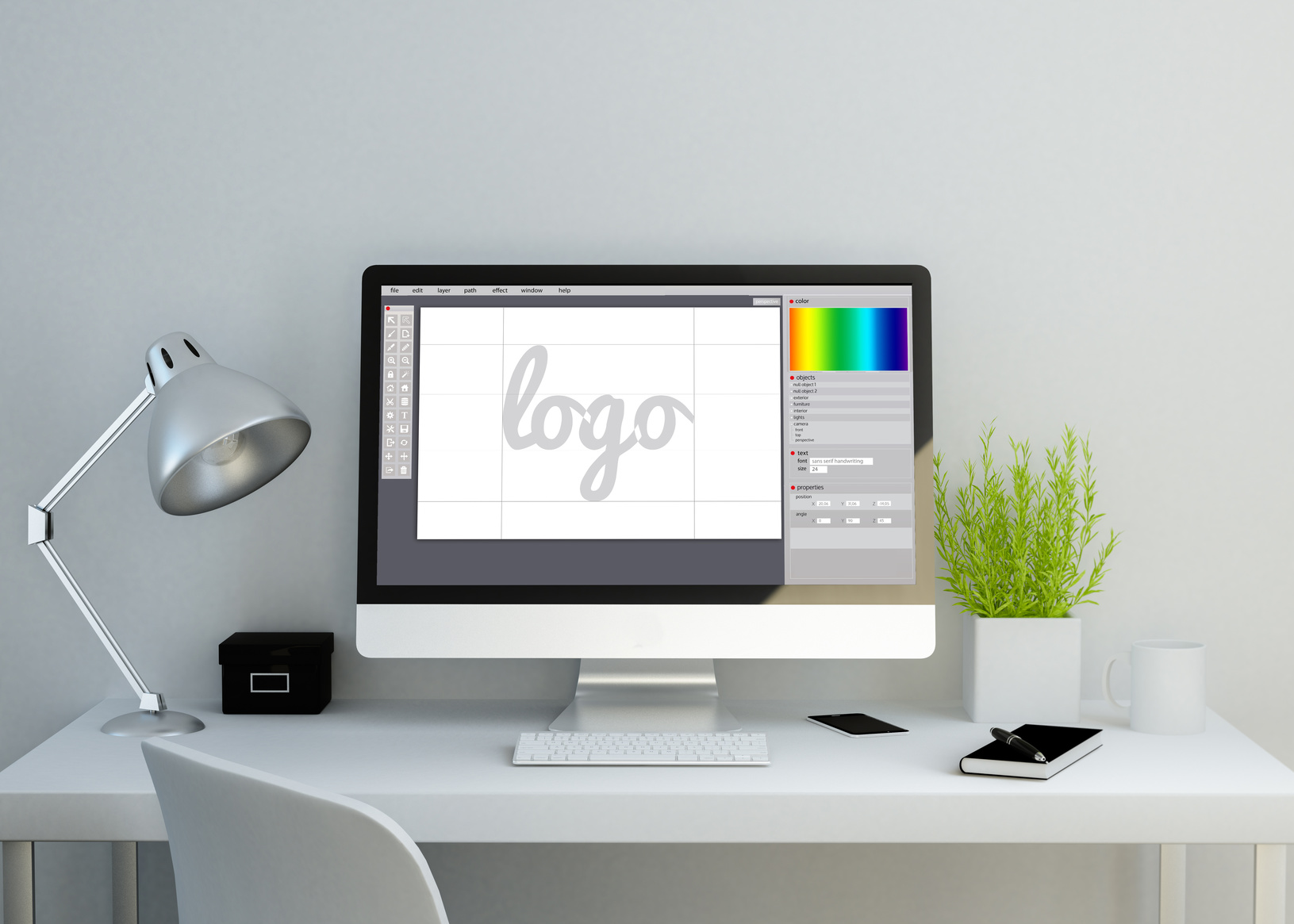
With your basic design in front of you, open the Online Logo Maker. You will see a bunch of menus appear alongside the main workspace. Inside the workspace, you should see a sample logo already laid out.
The main workspace is where you will create your logo. You can add a number of different elements to this space like text and graphics. This space will also allow you to move and size the elements to create the final free logo design.
Remove the Sample Logo
It’s a great logo for sure, but it’s already taken! In order to get a great logo for your business, you’ll need to start from scratch.
Start by clicking on one of the logo’s individual elements. For example, click on the target graphic to highlight the image. A rectangular box will appear around the image. This box allows you to move or resize any element to your liking.
Click the “delete” button next to the box. The target should disappear leaving only a white background. Repeat this step for the text. If you are successful, you should see a blank screen.
Now let’s get familiar with the interface.
Know All the Buttons
The interface for the online logo maker is powerful but simple once you know your way around. You’ve already been introduced to the main workspace. Now, let’s get familiar with the additional menu buttons.
To the left of the main workspace is the main menu. Here, you will find buttons to add text, symbols, or images. These buttons allow you to add additional elements to your logo. There is no limit to the amount you can add.
Below these buttons is the login box for premium members. While the online logo maker is free, you can upgrade to a premium account for extra options. This isn’t a required step, however.
Above the main workspace are a few important buttons to know about. Basic undo and redo buttons will let you fix mistakes or repeat actions you’ve taken. The color selector will change the color of the background. If you want some visual guidance when moving or sizing logo elements, click on the grid button.
At the end of this menu are the “new,” “save,” and “download” buttons. If you are a premium member, you can save your design at any point to work on later. When you are done with the design, you will click on “download” to save the logo file to your computer.
Finally, a contextual menu will appear on the left of the main workspace any time you click on a logo element. This menu will change depending on the type of element you select. For example, clicking on the text will reveal several options to change the font, size, and styling of the text.
Let’s get to the free logo design!
Add Some Visuals
While you can start anywhere, it’s usually easier to start with the basic visuals in the logo. This way, you will have the main visual to work with. If your planned logo doesn’t have any symbols or images, skip this section.
Click on the “add symbol” button. A library of different options will appear in the main workspace. Pick a symbol that looks attractive to your eye. The symbol will go to the main workspace.
You can add as many symbols as you want. If you have any images you want to include from your computer, click on “upload image.” A popup box will appear where you can select and add the image file.
As you add symbols and images, move them around the main workspace until you find an arrangement you like. Click on the edges of the black box to resize the image. The contextual menu will also have buttons for you to control the size and arrangement of the symbol or image.
Once you have something visually pleasing or close to your original design, it’s time to add some text.
Add the Text
Text can be a powerful addition to a logo. While some logos don’t include any text, it’s a sure fire way to let people know your business’s name. If you don’t want to include any text, skip this section.
Click on the “add text” button. A new logo element will appear in the main workspace with the words “enter a text.” Click on this element to reveal the black bounding box.
Click again on the text so you can type. Enter the name of your business or a tag line. Once you are done, click anywhere on the outside.
The contextual menu has several options to change the look of the text. Click on the button next to the “A” to change the font. The other options will let you bold or italicize, resize, or rearrange the text.
Finally, position the text until you have found the best spot in relation to the visual elements.
Finalize the Design
Feel free to play around with everything until you are happy with the overall free logo design. You can add or remove additional elements to see what works best. Once you are done, it’s time to download.
If you are a member, click on “save” to keep the file on the Online Logo Maker website. Click on “download” to save the logo file directly to your computer. This will let you use the free logo design for printed and digital materials.
Getting the Best Free Logo Design
Making the perfect logo is easy once you know your way around the online logo maker. The most important thing to remember is to keep at it. Keep designing until you are happy with the final product.
If you want additional tips or help with your logo design, contact us for support.
3 Tips to Build a Distinguishable Outdoor Logo
Posted on June 22, 2017 by Logo Design Tips and Tricks
Using an outdoor logo is a great way to brand your business and create a distinctive identity. Outdoor logos can reach a wide audience and, dependent on their location, they can have a significant impact.
These types of logos should allow the consumer to immediately visualize exactly what the company is all about. The logo may contain animals, trees, or water images. The design should convey a clear outdoor message.
Well-thought-out use of imagery and font can grab a viewers attention and allow the company to be recognized. A logo can quickly become a very real symbol of a company and of its products or services.
So how can a company create a distinctive and impactful logo?
What Message Is Being Conveyed?
Before beginning to design the logo it is important to decide what message is being conveyed.
What image is your brand built around? Professionalism or playfulness? Disruptiveness or traditionalism?
The logo should fit the image of the company. A cute koala bear in a tree, while a good outdoor visual, is probably not a suitable design to use for a US paddleboard company. Think about the features of the local environment or a symbol of the product or service itself.
It makes sense to hold a brainstorming session to throw around a few ideas in regards to the company message. Creative groups sessions can be a helpful way to find new ideas on which to build the brand identity.
Choose A Color Palette For The Brand
When considering the outdoors the colors which immediately spring to mind are greens, blues, and browns.
But it’s not necessary to stick to earthy colors when designing the logo. Bright or fluoro colors can be highly effective. Contrasting or complementary colors can be used.
The key point to remember is how well the colors chosen reflect both the brand and the message. If the company wants to appeal to rugged outdoor types a logo in varying shades of pink may not convey the desired message. The brand and message should always be kept in mind when choosing the color palette.
Consider Where The Outdoor Logo Will Be Used
Placement of the logo can have a bearing on the design. For example, if the company is within the security industry and will be placing the logo on facilities such as a watch-house, security building, or guard booth the design may be simple yet professional.
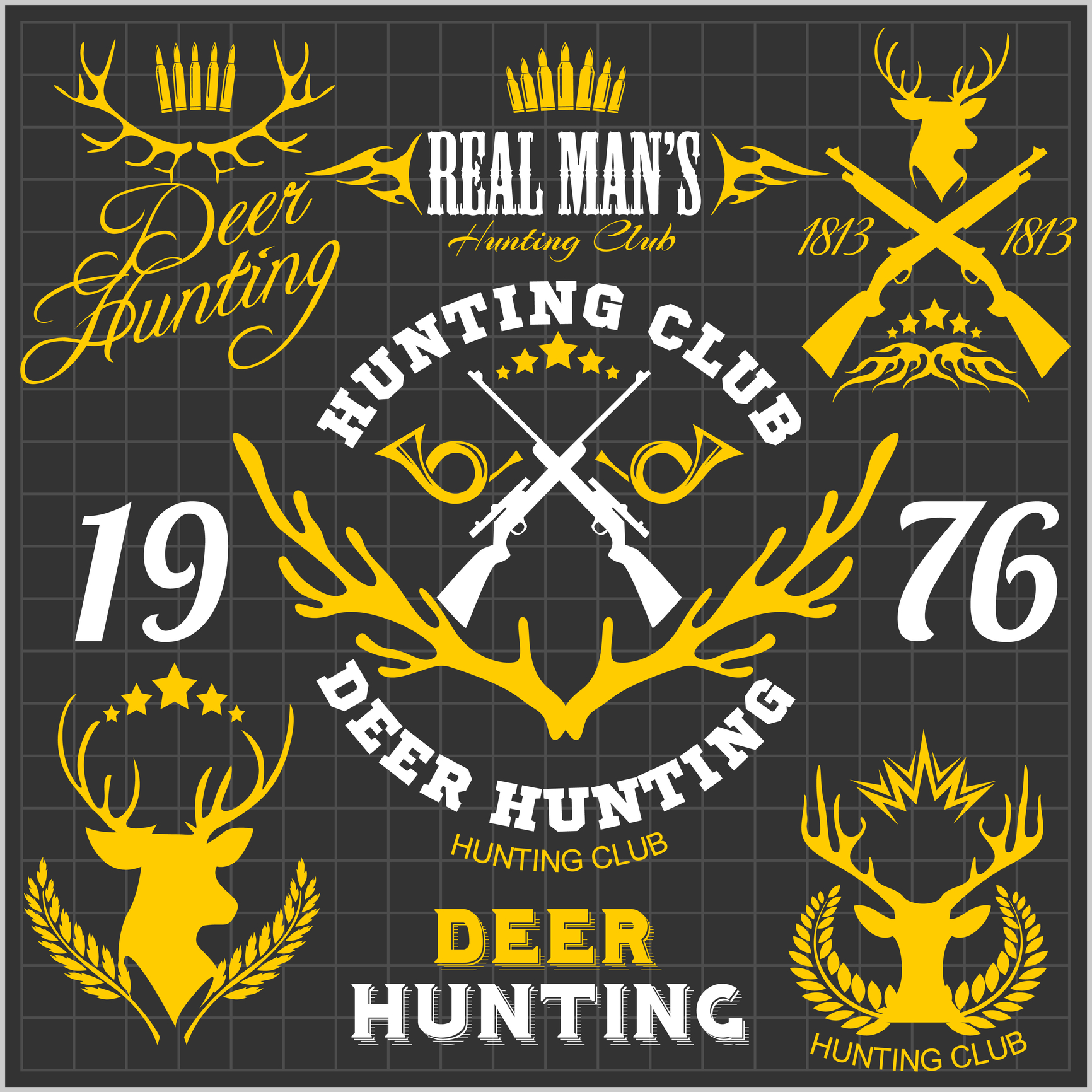
A hunting lodge wishing to display the outdoor logo on its building and all related documents may choose a more adventurous design which includes an animal such as a deer, moose, or bear. A camping store may decide upon an outdoor logo which includes the image of a tree and a tent or a hiking trail.
It is important to think about what the company is representing and what kind of audience will be viewing the logo.
Create A Unique Logo Design For The Brand
The main points in outdoor design are the message, color, and placement.
There are some great design tips on Online Logo Maker which are useful for creating a unique logo design. Signing up is free and a logo can be created in just minutes.
5 Hunting Logo Design Tips for Outdoor Startups
Posted on June 22, 2017 by Logo Design Tips and Tricks
What do most people think of when they hear the word “hunter”?
Probably some grizzled, camo-covered guy who’s been hiding in a tree for the last two nights trying to bag some game. The kind of guy who spends weeks out in the wilderness just for one shot, who cures his own meat, and who lives in an actual cave.
While that person probably exists, the stunning fact is that more and more young people are taking up hunting.
Naturally, that means that companies selling outdoor and hunting apparel need to rethink the way they do business. They’re no longer just catering to the old guard anymore. With rethinking comes rebranding, which usually involves creating a strong hunting logo.
Wondering how to design a trendy, modern-looking logo? That’s why this guide exists.
Let’s talk about the 5 hunting logo design tips for outdoor startups.
1. Full of information
Think about the logo for companies like FedEx or Starbucks. Everyone recognizes these brands instantly, but that’s not the only good thing — they also convey information about the brand. If your brand is selling 3D camo, for example, it’s best to have a logo that tells the consumer that.
This is how products like Yolk’s Solar Paper or Free Range Equipment do things. Their logos are full of information and meaning to their brand and are recognizable, too.
2. Modern style
The modern hunting logo design should be modern and simple.
Gone are the days in the past when logos were complicated monstrosities. Today’s logos are sleek, unique, and simple.
Forsake, a hiking shoe company, is a great example of a modern logo. Plus, it’s unique and recognizable, which means people easily associate it with the shoes.
3. Get creative
How many people know that there’s a bear in the Toblerone logo? Not many.
Part of creating a strong hunting logo is creating something that is interesting and fun to look at. There are tons of ways to do this; double entendres are very popular and create interesting, funny meanings for brands.
Be warned: always avoid cliches and bandwagon logo styles.
4. Less is more
It needs to be said again: keep the hunting logo design simple.
Complex logos provide too much visual information and it can be overwhelming to look at. The Nike swoosh, for instance, is both super simple and recognizable.
If a company sells hunting bows, a simple execution could be an arrow flying to hit its target, or even a bullseye. No need to overcomplicate things.
5. Use a colorful hunting logo design
Color is an important part of the outdoors and hunting, so it should be important to a hunting logo design as well. Color can make a logo pop and catch the eye, so there’s no reason not to experiment.
Still lost on how to get started on a logo?
Let Us Help
Our service provides you with an easy-to-use, intuitive logo designer to help your outdoor startup succeed and become a household name.
Don’t damage your business with an overused, poorly-designed logo. Let us help you create the brand recognition your business deserves.
5 Furniture Logo Design Tips for Your Store’s Rebrand
Posted on June 22, 2017 by Logo Design Tips and Tricks
One of the simplest and most effective elements of a store rebrand is an updated logo design.
Done correctly, this simple change can speak volumes. It can also have a direct effect on your bottom line.
For instance, did you know that 95% of the top brands use more than one color in their logo, and 93% use designs that are simple enough to be discernable even at small sizes? These little touches can be the hinges on which your success hinges!
Today, we’re discussing five tips that can help take your furniture logo design from flat to fabulous in just a few steps.
Ready to get started? Let’s go!
1. Don’t Overhaul Your Furniture Logo Design Just Yet
Over time, your logo becomes synonymous with your brand. This is especially true for furniture stores that have been around for a while.
When changing your look, check first to see if there are any iconic or significantly memorable parts of your current design.
Whether you’re a lifestyle store that carries everything from upholstery cleaners to bedroom sets, a mom-and-pop operation generations in the making, or a big-box warehouse club, chances are you’ve got a trademark “look” that defines your brand.
Think about it: Any logo change that McDonald’s undergoes is probably going still center around those famous Golden Arches.
So what are your Golden Arches? How can you strategically weave them into your new branding?
2. Focus on Simplicity
The Nike swoosh. The Apple fruit with one bite missing. Chanel’s mirrored “Cs.”
Some of the most long-lasting logos are those that are the simplest and cleanest.
When considering your new furniture logo design, try to resist the urge to make it complex and highly detailed.
Doing so can render it untranslatable, and can leave your customers unsure of your new identity. Another advantage to avoiding the fuss? It makes the next step much more obtainable:
3. Ensure It’s Optimized for Online Viewing
Today, one can simply hop online to search for and purchase the furniture they need.
As such, more and more furniture stores are adding e-commerce shops to their repertoires.
If this is the case for you, it’s important to make sure your new furniture logo design is responsive. This means it’s adaptable, able to be viewed online in any format without sacrificing the quality of its elements.
Ones that are too detailed, or include too many gradients, can be difficult to discern on many screens. They’ll also take more time to load, and can run into issues with scaling.
4. Consider Trends, But Don’t Let Them Rule
Design trends come and go, and often circle back around.
Case in point? Furniture that fit into a Mad Men-style advertising office in the 1960s would look just as posh and appropriate as ever in today’s modern workplace. This is thanks in large part to a resurgence of mid-century modern design style that’s currently hot.
As you research design options for your new furniture logo, it’s important to take a look at your industry peers and other related sources to see what’s trending.
Touches like minimalist details, hipster/old-school fonts, and retro color schemes might be on point today. But will they tell the story of your brand in five or 10 years? If not, consider bucking them and sticking with your gut.
5. Focus on Readability and Comprehension
Does your furniture logo include your store name or other words? If so, is the font easily readable, or it is difficult to make out?
Often, companies opt for fancier, script-like font to add elegance and appeal. Yet, this can easily distract and confuse consumers.
If they have to tilt their heads and squint their eyes to read your sign, it’s probably time to switch to a simpler font, like a block or sans serif one.
Custom Logos Made Easy: The Free Tool You Need
Are you interested in creating a new logo for your company? If so, we’d love to help.
Our free online logomaker takes the guesswork out of designing the perfect image to capture your brand.
If you have any questions, feel free to contact us. You could design a new future for your business today!